
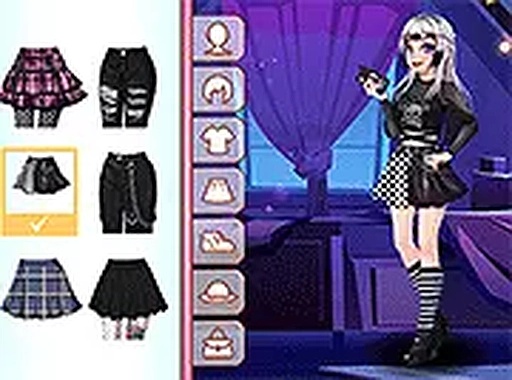
Personal Wardrobe Stylist
Personal Wardrobe Stylist is a browser dress-up game where players choose a skin tone, assemble an outfit from clothing categories, and layer accessories to create a look. There are no timers, scores, or wrong answers, so the focus stays on experimentation and self-expression.
Reviews
About this game
Starting with a Blank Canvas
Personal Wardrobe Stylist opens with an empty character and a simple first decision: choosing a skin tone. From there, players move through clothing categories one at a time. Each category presents a small set of distinct items, such as patterned tops, solid-colored bottoms, and sturdy boots. The interface uses large thumbnails so each piece is easy to identify at a glance. Nothing forces a quick decision. Players can cycle through the available options as many times as they like before settling on a final choice.
Layering Accessories That Change the Look
Once the main outfit is assembled, accessories become the main creative tool. Jewelry pieces like necklaces and bracelets add sparkle, while hair clips and headbands introduce a more playful element. These details are not just decoration; they can shift the entire feel of an outfit, turning a simple combination into something more distinctive. The game supports experimentation by letting players layer accessories and see how they interact with different clothing combinations.
A Pace Built for Experimentation
The game has no timers, no high scores, and no wrong answers. That structure removes performance pressure and makes the experience approachable for younger players who might feel anxious about making mistakes. Instead of chasing a target, the player decides when a look is finished. The focus stays on enjoyment and self-expression, letting children explore fashion without fear of judgment. Parents can feel confident that the experience is safe and positive.
Playing Without Installation
Personal Wardrobe Stylist runs entirely in a web browser, so there is nothing to download or install. It works on desktop computers and mobile devices, adapting to both touch screens and mouse inputs. A full-screen mode is available for a more focused view. This flexibility means the game fits into short sessions at home on a laptop or on the go with a tablet, and it can be picked up or put down whenever the player chooses.


Comments
0 comments