
Skyblock Co-op Quest
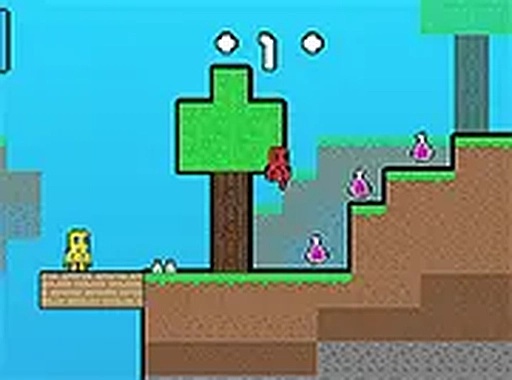
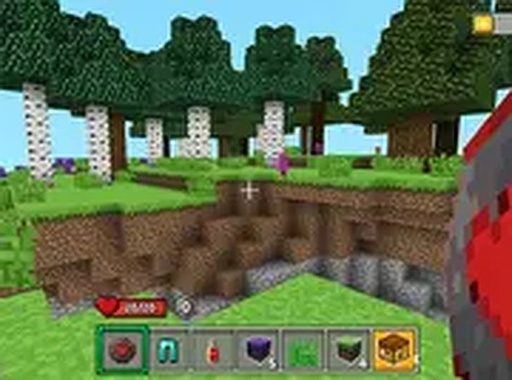
Skyblock Co-op Quest is a free browser game for two players. One controls a red hero who sees invisible barriers; the other controls a yellow hero. Collect purple power-up boxes to open the exit portal while avoiding creatures that want to eat you.
Reviews
About this game
Two Heroes, Two Roles
Skyblock Co-op Quest splits control between two players. The red hero can see through invisibility barriers, exposing hidden obstacles that the yellow hero cannot perceive. The yellow hero navigates those same spaces without that information. Neither character can finish a stage alone; the red hero's vision is useless without the yellow hero's movement, and the yellow hero is blind to traps the red hero must call out.
Collect, Power Up, Open the Portal
Each stage contains purple power-up boxes. Gathering them charges the portal at the end of the level. The portal will not open until enough boxes are collected, so rushing to the exit without sweeping the stage leaves both players stuck. Creatures patrol the floating platforms and will eat either hero on contact, which turns box collection into a risk-management exercise rather than a simple fetch task.
Controls and Platforms
Desktop players use the keyboard; mobile players get on-screen controls. The game runs in a browser with no download. Full-screen mode is recommended because it reveals more of the level at once, giving both players a wider view of incoming creatures and the next platform. The game works on desktop and mobile, but the two-player requirement means each person needs their own input method.
Communication as a Mechanic
The red hero's sight ability only matters if that player describes what they see. Hidden obstacles are invisible to the yellow hero, so a red player who stays silent effectively disables half the team's information. The design pushes players to talk constantly: scouting ahead, warning about creatures, and confirming when a path is safe. That verbal layer is the actual difficulty curve, not the platforming itself.




Comments
0 comments