Kids Unicorn Dress Up Adventure

Kids Unicorn Dress Up Adventure

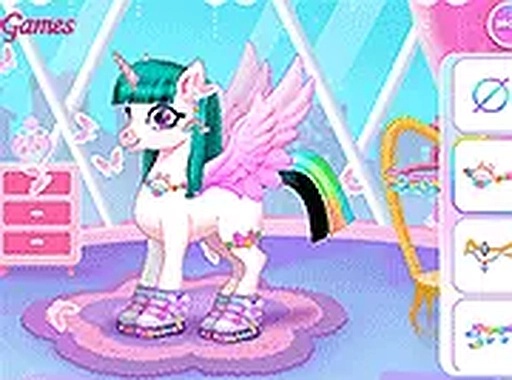
Kids Unicorn Dress Up Adventure is a free online game where children can style four unicorns with various skins, hairstyles, horns, and accessories, then save photos to share.

PLAY NOW

Report an Issue

Update Time

2026-06-27

Publisher

Ivy Core Games

Release Date

2024-03-13

Tags

Kids , Dress Up , Unicorns

Rating

Platform

Html5


Reviews

About this game

Game Introduction

Kids Unicorn Dress Up Adventure is a free online game designed for children and families. The core objective is to explore creativity by styling four different unicorns. Each unicorn can be transformed using a variety of skins, such as a pink peach heart or a chocolate theme. Players can change hairstyles and colors, add sparkling or rainbow horns, and choose accessories like earrings, necklaces, and wings. Once the look is complete, a photo can be taken and saved to share with friends. This game provides a safe environment for imaginative play, encouraging children to experiment with colors and styles without any pressure. It runs directly in a web browser on both mobile and desktop devices, with no downloads required. The full-screen mode enhances the experience, making it easy for young players to focus on their creations. What makes this game unique is its focus on unicorn customization, offering a wide range of options that appeal to children who enjoy fantasy and dress-up activities. The simple interface ensures that even young children can navigate the options independently, fostering a sense of accomplishment and creativity.

How to Play

To play, first select one of the four unicorns. Use the on-screen buttons to browse through skin options like pink peach heart or chocolate. Next, choose a hairstyle and pick a color. Customize the unicorn's horn with glitter or rainbow effects. Then, go to the accessories section to add earrings, necklaces, and wings. After finishing, click the camera button to take a photo and save it to your device. The game runs in your browser on mobile and desktop with no downloads needed. Full screen mode is available for a better experience.

Game Features

Dress up four different unicorns. Choose from multiple cute skins. Customize hair styles and colors. Add glittering or rainbow horns. Select accessories like earrings, necklaces, and wings. Take and save photos of your creations.

Tips for Success

Experiment with different combinations of skins, hairstyles, horns, and accessories to create unique looks. Try matching colors for a coordinated outfit or mix bright patterns for a fun, whimsical style. Use the photo feature to save your favorite designs and share them with family or friends for inspiration.

✅ Compatibility & Testing

• Desktop (Windows 11, macOS Ventura)
• Mobile (iPhone 14, Samsung Galaxy S23)
• Tablet (iPad Pro, Android tablet)
✅Supported browsers: Chrome, Safari, Edge, Firefox (latest versions)
❌ Not supported: Internet Explorer, older browser versions

Advertisement

Faq

Is Kids Unicorn Dress Up Adventure free to play?
Yes, the game is completely free to play online. There are no hidden costs or in-app purchases required. All features, including skins, hairstyles, horns, and accessories, are available without any payment.
Can I play this game on a tablet or smartphone?
Yes, the game is designed to work on both mobile devices and desktop computers. It runs directly in your web browser, so you can play on a tablet, smartphone, or computer without downloading any apps.
Do I need to create an account to save my photos?
No account is needed. The game allows you to take and save photos directly to your device. Simply click the camera button after finishing your design, and the image will be saved to your device's photo gallery.
How many unicorns can I dress up?
The game includes four different unicorns for you to style. Each unicorn can be customized with various skins, hairstyles, horns, and accessories, giving you many creative possibilities.
Are there any age restrictions for this game?
The game is designed for children and families, making it suitable for all ages. The content is safe and free from any inappropriate material, so parents can let their children play without worry.
Can I share my unicorn creations with friends?
Yes, after taking a photo of your creation, you can save it to your device and then share it with friends or family through messaging apps, email, or social media. This allows you to show off your creative designs.

Follow Us

Comments

0 comments
U
User
Loading comments...

Other Similar Games