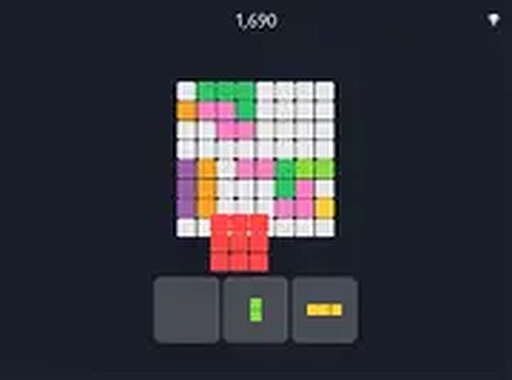
Block Puzzle Challenge

Block Puzzle Challenge

Arrange colorful blocks on a grid to clear rows and columns. No time limit, no downloads. A relaxing puzzle for all ages.

PLAY NOW

Report an Issue

Update Time

1970-01-01

Publisher

Sprint Creations

Release Date

2024-02-17

Tags

Strategy , Puzzle

Rating

Platform

Html5


Reviews

About this game

Game Introduction

Block Puzzle Challenge is a relaxing puzzle game that focuses on planning and spatial reasoning. The main objective is to place colorful blocks onto a grid, filling entire rows or columns to clear them and create more space for additional pieces. There is no time limit, allowing players to think carefully about each move. This calm pace makes it ideal for those who enjoy thoughtful problem-solving without pressure. The game runs directly in a web browser without any downloads, and it works smoothly on both mobile devices and desktop computers. It offers a stress-free way to exercise the brain and improve spatial awareness. The simple concept of arranging shapes to clear lines is easy to understand but offers depth for players who like to plan ahead. Whether you have a few minutes or a longer break, this game provides a satisfying mental workout.

How to Play

Players select a block from a set shown below the playing grid. Using a mouse or finger, you drag the block onto the board. The aim is to fill entire rows or columns so they disappear, freeing up space for more pieces. The game continues as long as you can place blocks. If no more blocks fit, the round ends. There is no timer, so you can take your time to decide where each piece goes. Controls are responsive on both touchscreens and mouse inputs, ensuring a smooth experience across different devices. The game is easy to start, and the challenge grows as the board fills up.

Game Features

Features include relaxing no-time-limit gameplay, intuitive drag-and-drop controls, and compatibility with both mobile and desktop devices. The game also offers a full screen mode for a more focused view. Its simple mechanics make it easy to begin, while the challenge of clearing lines keeps you engaged. The game runs in your browser with no downloads required, providing instant access to puzzle fun. The colorful blocks and clean grid design make it visually pleasant and easy on the eyes.

Tips for Success

To succeed, plan your moves ahead by considering how each block placement affects future options. Try to keep the grid as open as possible, avoiding isolated gaps that are hard to fill. Clearing lines regularly prevents the board from filling up too quickly. Practice helps you recognize patterns and improve your spatial reasoning. Since there is no time pressure, take your time to evaluate each placement carefully.

Compatibility

This H5 game runs smoothly on:
• Desktop computers (Windows / Mac) • Mobile phones (iPhone / Android)
• Tablets (iPad / Android)
🌐 Best experienced with Chrome, Safari, or Edge

Advertisement

Faq

Is Block Puzzle Challenge free to play?
Yes, the game is free to play directly in your browser. There are no hidden costs or subscription fees required. You can start playing immediately without any payment.
Can I play Block Puzzle Challenge offline?
The game requires an internet connection to load in your browser. Once loaded, it may continue to function without a connection, but this depends on your browser's caching. For best results, play with an active internet connection.
Does Block Puzzle Challenge have different difficulty levels?
The game does not specify different difficulty levels. However, the challenge naturally increases as the grid fills up with blocks, requiring more careful planning to clear lines and continue playing.
What devices support Block Puzzle Challenge?
The game works on any device with a modern web browser, including smartphones, tablets, laptops, and desktop computers. It is optimized for both touch and mouse input for a smooth experience.
How do I restart a game in Block Puzzle Challenge?
Typically, you can restart the game by refreshing the browser page or using an in-game restart button if available. The exact method may vary, but most browser games offer a simple way to begin a new round.
Can I save my progress in Block Puzzle Challenge?
The game does not mention a save feature. Since each round is self-contained and ends when no more blocks can be placed, progress is typically not saved between sessions. You can start a new game at any time.

Follow Us

Comments

0 comments
U
User
Loading comments...

Other Similar Games